
Developer Tab Stacks: Manage Docs, PRs, and Code Notes
Modern software engineering happens in the browser as much as the IDE. Between GitHub pull request diffs, framework documentation, StackOverflow threads, and cloud observability dashboards, developers easily accumulate 40 or more background tabs during a single debugging session. Tabzero provides a structured approach to stacking, annotating, and safely shelving technical browser sessions without sacrificing architectural context.

The cognitive cost of technical tab sprawl
Every experienced engineer knows the feeling of hunting for a specific GitHub discussion across three browser windows, each containing 30 indistinguishable favicon stubs. This fragmentation is not merely an aesthetic annoyance; it creates real cognitive friction. When context-switching between code editing, terminal commands, and browser searches, locating the exact documentation page or pull request requires active mental parsing that disrupts deep focus.
Traditional browser bookmark bars fail because technical investigation is episodic. A developer needs reference materials for the duration of a sprint task or hotfix, after which the tabs become obsolete. Saving every temporary link to bookmarks clutters the browser with stale URLs, while leaving tabs open consumes hundreds of megabytes of system memory and creates persistent anxiety about accidental window closures.
Keyboard-first capture with the Alt+Z Quick Card
Tabzero addresses technical tab overload through a keyboard-driven capture interface called the Quick Card. By pressing Alt+Z anywhere in the browser, developers summon a lightweight command palette that lists all active tabs grouped by domain.
Instead of manually closing tabs one by one, an engineer can filter tabs by typing a domain name like 'github.com' or 'developer.mozilla.org', select the tabs related to a completed investigation, and commit them directly to a named Session Note. With a single keystroke, the candidate tabs are safely stashed and closed, instantly reclaiming screen space and system RAM while preserving their full URL anchors for future reference.
Block-based engineering notes with live source anchors
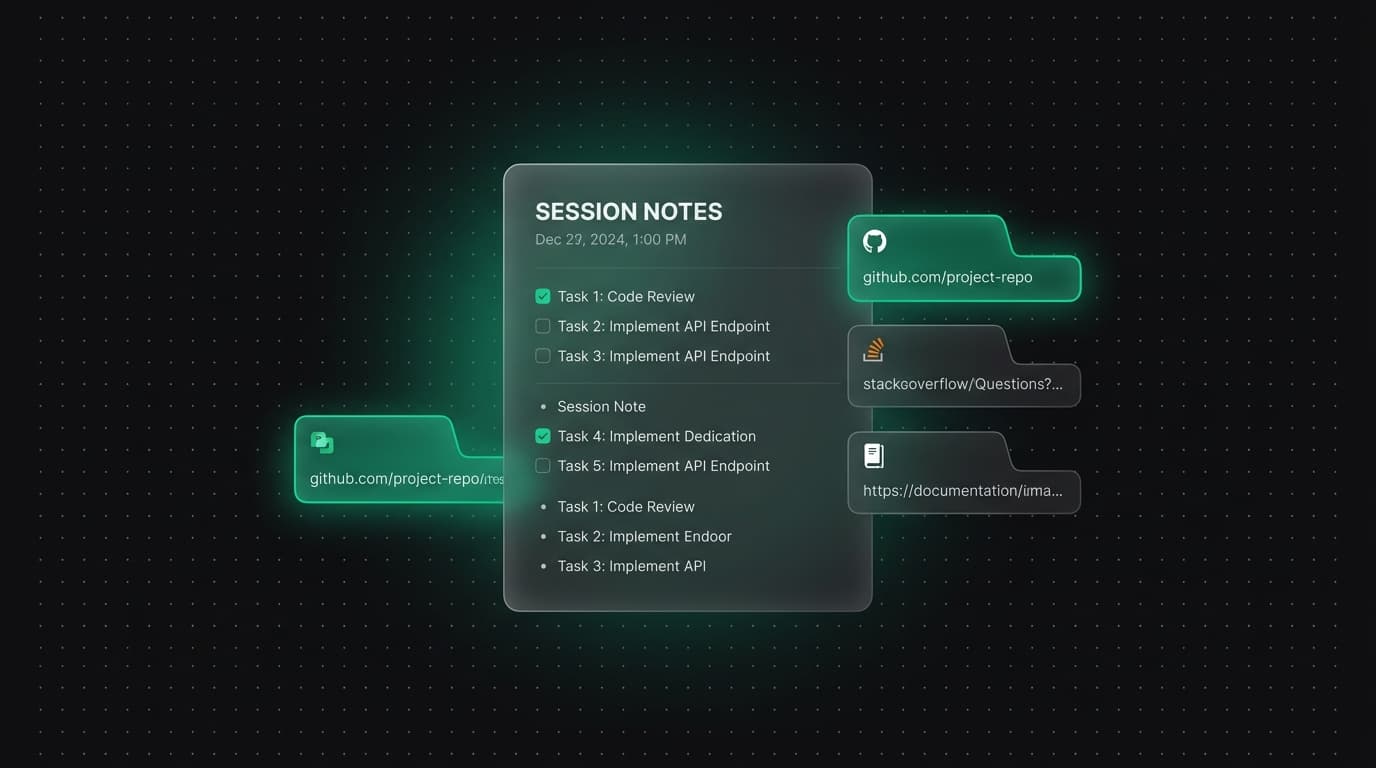
Saving tabs without notes creates a passive graveyard of unread URLs. In contrast, Tabzero pairs saved tabs directly with an embedded BlockNote editor. Each Session Note acts as an active technical workbench where developers can paste stack traces, write hypothesis checklists, document architectural trade-offs, and outline reproduction steps.
Crucially, saved web pages remain docked in the Sources panel adjacent to the note content. Developers can reopen reference pages with a single click, verify API signatures, or copy formatted markdown citations directly into the note body. This tight coupling ensures that code decisions are forever grounded in primary documentation rather than half-remembered blog posts.
Deterministic source graphs for complex dependency lineages
When diagnosing cross-package bugs or evaluating third-party libraries, engineers navigate dense webs of hyperlinked documentation, issue trackers, and release notes. Tabzero includes an interactive D3 force-directed Source Graph that maps observed hyperlink relationships between saved tabs within a session.
The graph visually highlights hub nodes—such as a central pull request or architectural RFC—and reveals satellite links like changelog entries or issue discussions. By visualizing the topological structure of their research, developers can quickly spot unvisited reference links, eliminate redundant sources, and communicate the research path clearly to teammates during pull request reviews.
Markdown export and non-destructive conflict recovery
Engineering notes must not remain trapped in a proprietary silo. Tabzero supports direct Markdown export of any session note, complete with organized source link sections, checkboxes, and formatted code blocks. Developers can paste exported notes into GitHub issue descriptions, team wikis, or internal incident postmortems with zero reformatting.
Furthermore, because developers frequently work on laptops in transit or across unstable network environments, Tabzero implements a strict Keep Both synchronization safeguard. If an offline local note edit conflicts with an update saved from another machine, Tabzero never overwrites data with naive last-write-wins logic. Both revisions are safely preserved, guaranteeing that critical technical notes and source anchors are never lost.
Tabzero: Browser Tab Manager & Notes
Save tab links, keep notes beside your sources, and return to what matters. Tabzero is in development preview; AI Notes remains planned.
Related guides
How to Organize Many Chrome Tabs into Groups Fast
Turn a crowded Chrome window into a few useful tab groups with bulk selection, clear names, duplicate cleanup, and a repeatable maintenance routine.
Chrome Tab Keyboard Shortcuts for a Faster Daily Workflow
Learn a small set of verified Chrome tab shortcuts for switching, searching, reopening, and saving pages without losing task context.
How to Find an Open Tab in Chrome Across Crowded Windows
Find a missing Chrome tab with Tab Search or @tabs, then organize the useful pages so the same search is easier next time.