
How to Take Notes While Browsing the Web (Without Losing Context)
Taking notes while browsing the web should be simple, but most people end up in an awkward workflow: a browser window on one side, a notes app on the other, and a constant struggle to remember which tab contained the specific sentence they were trying to quote. The real problem is not finding a good notes app — it is keeping your notes and their sources together so that context is never lost.
The context problem with separate note-taking apps
When researchers, students, and knowledge workers take notes in a separate application while browsing, they face a consistent friction: by the time they switch to their notes app, copy a quote, and switch back to their browser, they have lost the thread of thought that made the quote meaningful. The URL gets left behind, the surrounding context evaporates, and the note becomes an isolated fragment rather than a connected insight.
This problem compounds over longer research sessions. An hour of active browsing might produce twenty pages of tabs and fifteen minutes of notes, but when you return to those notes a week later, reconstructing which page each note came from requires a frustrating archaeology of browser history. Many researchers simply stop taking notes mid-session because the workflow friction costs more than the benefit — and then regret the lost insights later.
Three approaches to taking notes while browsing
The simplest approach is copy-paste into a document. Open Google Docs or Notion in a separate tab, paste quotes and URLs as you find them, and add your commentary inline. This works for short research sessions, but produces a long undifferentiated document where it becomes hard to distinguish your own thoughts from quoted material, and navigating back to the original source requires searching through the document for the URL you pasted.
Web clippers — extensions like the Notion Web Clipper or Evernote's clipper — solve the source problem by saving entire pages into a note database. The page is captured, formatted, and linked. The limitation is that clippers save what the page says, not what you thought about it. Your annotations, questions, and connections between pages require a separate layer that most clippers do not natively support.
The third approach is using a tab manager with an integrated note editor, where the saved tab and the note about it exist as a single unit. This preserves both the source and your thinking about it simultaneously, without any copy-pasting or context switching. The note and the page it refers to are stored together and retrieved together.
The source-anchored note workflow
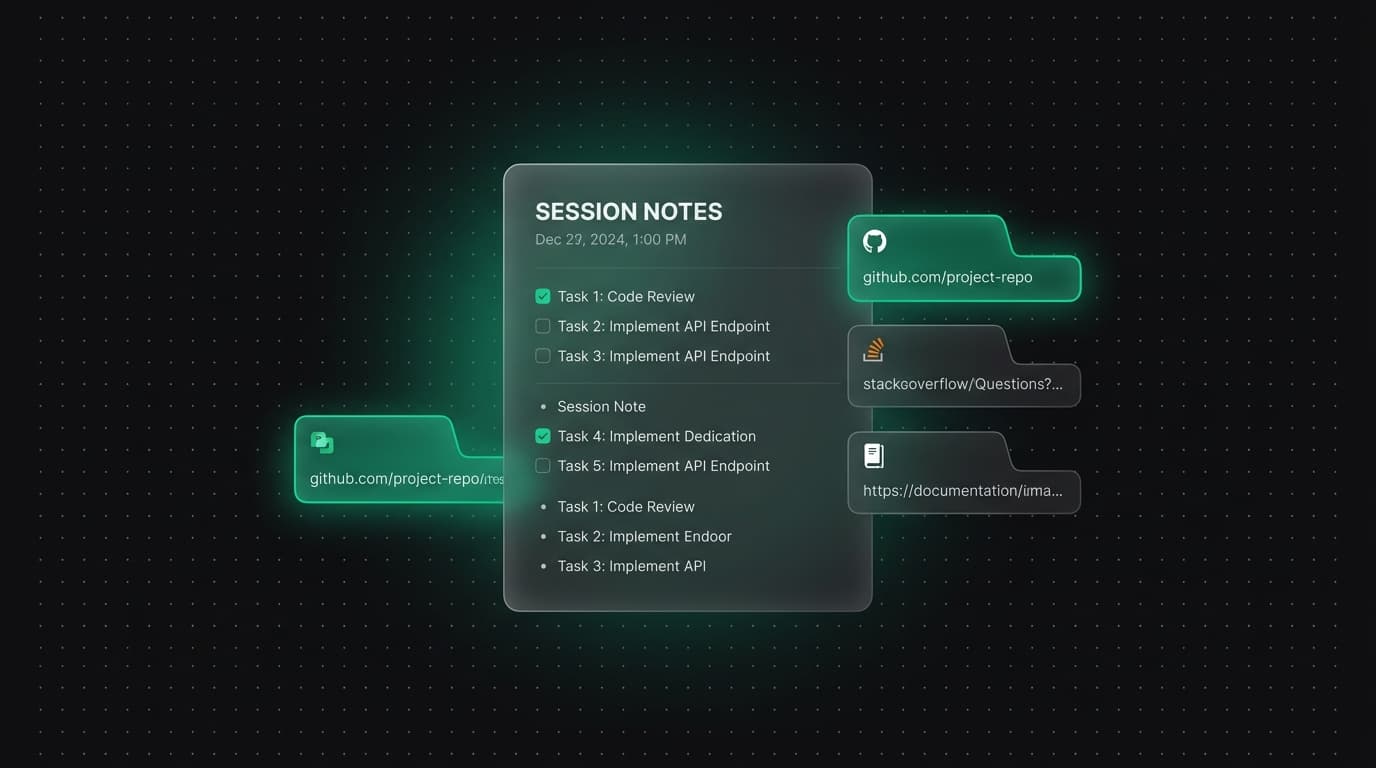
Tabzero implements the third approach through a workflow built around source-anchored notes. When you activate the Alt+Z Quick Card over any tab, you can select a group of related pages and stash them into a named session. Those pages become the Sources panel of a Tabzero note — visible alongside a block-based document where you can write freely. The connection between what you read and what you thought about it is structural, not just a pasted URL.
In practice, this means that instead of switching applications, you press Alt+Z, name the session after the topic you are researching, and open the note editor. As you work through each source tab, you write your observations, questions, and connections in the note. When you are done with a source, you close the tab — and the note remains, with the source linked in the panel beside it. You never lose the connection between a note and the page it came from.
When you return to the research session later, the Tabzero Web Workspace shows the session alongside the notes you wrote during it. You can reopen any source tab with one click, continue adding notes, or export the finished note as Markdown to take into Notion, Obsidian, or any other tool.
When integrated browser notes work best
This workflow is particularly effective for research sprints with a defined scope — investigating a technical problem, comparing competing products, writing an article or report, preparing for a meeting. Any task that involves visiting multiple pages and forming a synthesis benefits from keeping notes and sources together. The alternative — building the synthesis later from memory or from scattered copy-pasted quotes — consistently produces lower quality output and takes longer.
It is less suited to casual browsing or entertainment, where note-taking is not the point. For reading news or watching videos, a web clipper or a simple bookmark folder is sufficient. The integrated note workflow earns its value in the subset of browsing that is genuinely purposeful — the sessions where what you learn needs to be turned into something: a decision, a document, a recommendation.
Portability and multi-device access
A common concern with any browser-native workflow is portability. If your notes are stored inside a browser extension, what happens when you switch browsers, reinstall your system, or want to share your research with someone using a different tool? Tabzero addresses this through two mechanisms: Markdown export, which produces a plain-text document you can open in any editor, and the Web Workspace, which makes your sessions and notes accessible from any browser without needing the extension installed.
Notes sync between the extension and the Web Workspace in real time, with a Keep Both conflict resolution strategy that preserves both versions if you edit the same note from two devices simultaneously. This means starting a research session at your desk and continuing it on a laptop in a coffee shop works without any manual syncing steps.
Tabzero: Browser Tab Manager & Notes
Save tab links, keep notes beside your sources, and return to what matters. Tabzero is in development preview; AI Notes remains planned.
Related guides
Turn Competitive Research Tabs into an Evidence Matrix
Compare products using consistent criteria, dated primary sources, and explicit gaps instead of relying on a wall of browser tabs.
A Browser Tab Workflow for Customer Support Cases
Keep support tickets, documentation, account tools, and investigation notes separated by case while protecting customer information.
Turn Research Tabs into a Clear Content Outline
Convert browser research into claims, supporting sources, open questions, and a practical article outline without losing attribution.